Sync Configuration
SharePoint Manager Plus synchronizes report and audit data with the data available on your SharePoint server.
Report sync settings
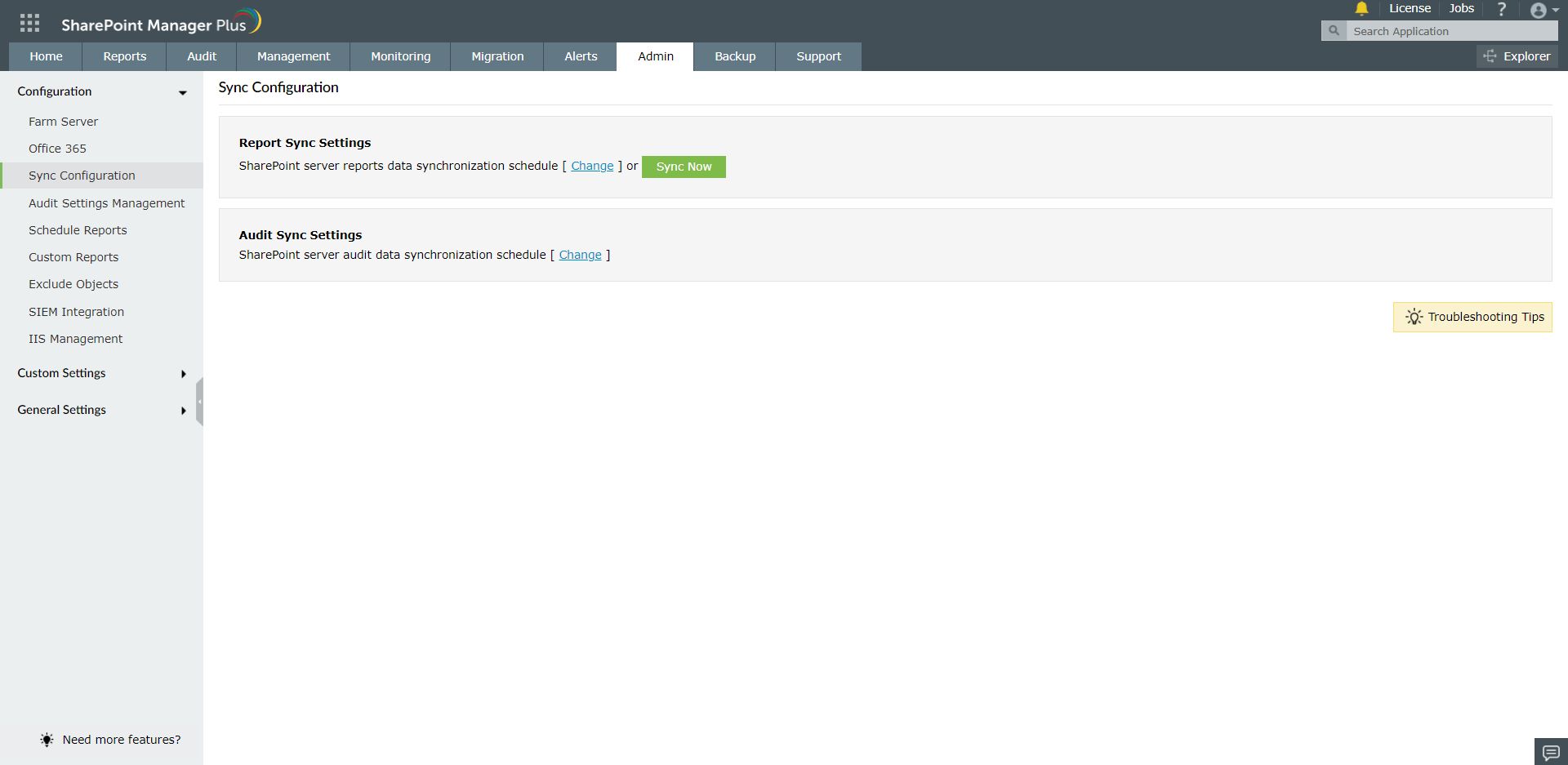
Report data is synchronized automatically every day at 2:00 a.m. To change the report synchronization schedule:
- Go to Admin > Configuration > Sync Configuration.
- Under Report Sync Settings, click Change.
- Select the required schedule and save the changes.
To synchronize report data immediately, click Sync Now.
Audit sync settings
Audit data is synchronized automatically every 10 minutes. To change the audit synchronization schedule:
- Go to Admin > Configuration > Sync Configuration.
- Under Audit Sync Settings, click Change.
- Select the required schedule and save the changes.
Sync Settings
This setting controls how SharePoint Manager Plus pulls report data, runs version scans, and collects audit information.
- Navigate to the Admin tab > Configuration > Sync Configuration.
- Select Sync Settings at the top right.
- In the Sync Settings side panel, configure the following settings:
- Under Report Sync, configure the following settings:
- Sync OneDrive for Business sites: Includes OneDrive for Business sites in report synchronization.
- Sync sites from all geo-locations: Synchronizes sites across all geo-locations in a multi-geo Microsoft 365 tenant.
- Under Storage Reports, configure the following settings:
- Scan file versions older than _ days: Sets the age threshold used to identify old file versions in the Storage by Version Age report. The default value is 30 days.
- Scan file versions except the last _ versions: Sets the number of recent file versions to exclude when identifying excess versions in the Storage by Version Count report. The default value is 5.
- Under Audit Sync, configure the following settings:
- Use CStore database to store audit reports: Stores live audit data in the CStore database for improved performance. Enable this option if your environment generates a large volume of audit data.
- Audit sync delay by _ minutes: Sets the interval between audit synchronization runs. The default value is 60 minutes.
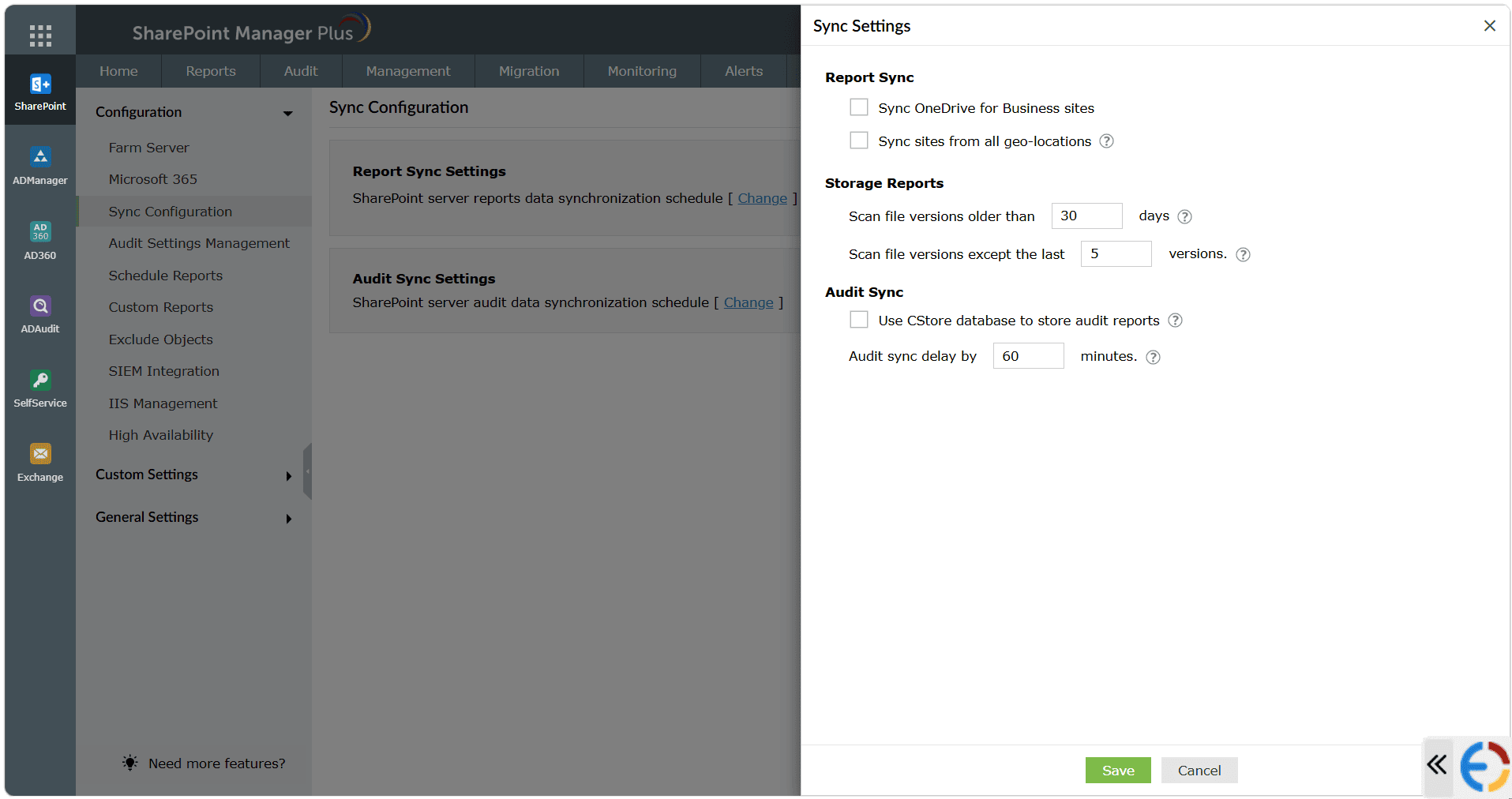
- Click Save to apply your changes.
 ADManager Plus
 ADAudit Plus
 ADSelfService Plus
 SharePoint Manager Plus
 Previous Topic